
Are you tired of paying exorbitant monthly cable bills for channels you rarely watch? Across Scandinavia and the rest of the world, smart viewers are cutting the cord and making the switch to digital IP TV. If you are looking for the absolute best way to manage and watch your favorite live channels, sports, and VODs, iptv smarters pro is the ultimate solution.
In this massive, step-by-step 2026 guide, we will show you exactly how to install, configure, and optimize this incredible application on your Smart TV, Firestick, or Android device. Follow these simple instructions so you can get your iptv nordic service running in less than 5 minutes.
1. What is iptv smarters pro?
Before diving into the setup, let’s clarify what this app actually is. iptv smarters pro is an advanced video player. It does NOT come with any pre-loaded channels or movies. Instead, it is a clean, user-friendly platform that allows you to input your own premium iptv subscription details.
2. Why You Need a Premium IP TV Provider First
Because the app is just an empty player, your viewing experience depends entirely on the server you connect to it. A cheap server will give you constant buffering, freezing screens, and bad quality. If you want a flawless experience, you need a high-end iptv nordic provider.
- Anti-Freeze Technology: Watch live sports (Premier League, Champions League, Formula 1) without a single pause.
- Massive 4K Library: Access the latest movies and series from top platforms (Netflix, HBO, Disney+, Hulu) directly in the VOD section.
- Scandinavia’s Best: Get all local channels from Norway, Sweden, and Denmark (NRK, TV2, Viaplay, Altibox) in one place.
3. Step-by-Step Installation Guide
Let’s get started. Follow these exact steps to get your channels working perfectly.
Step 1: Download the App from Your TV’s Store
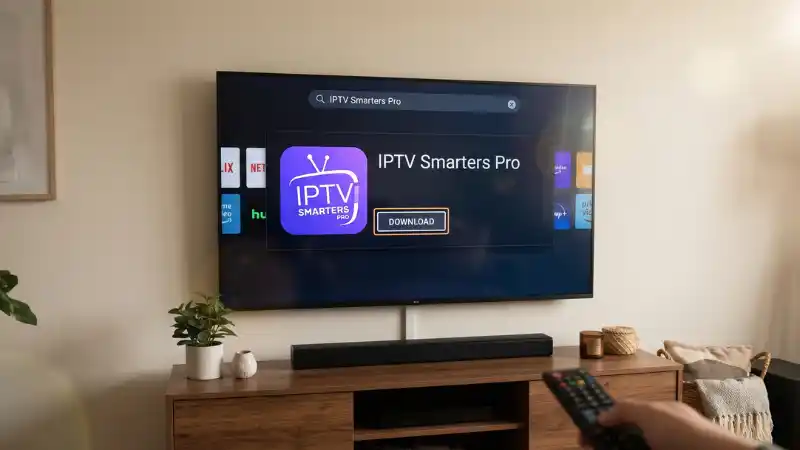
Turn on your Smart TV (Samsung, LG, Android TV) and navigate to the official App Store. Go to the search bar (the magnifying glass icon) and type in “iptv smarters pro”. Click download and wait for the installation to finish.
Step 2: Open the App and Accept the Terms
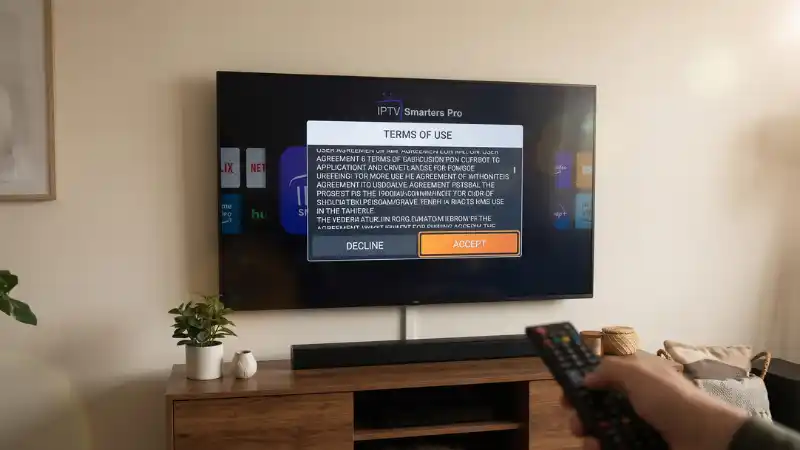
Once installed, launch the application. You might be asked to accept the terms of use. Simply click “Accept”. After that, you will be taken to the main login selection screen.
Step 3: Select “Login with Xtream Codes API”
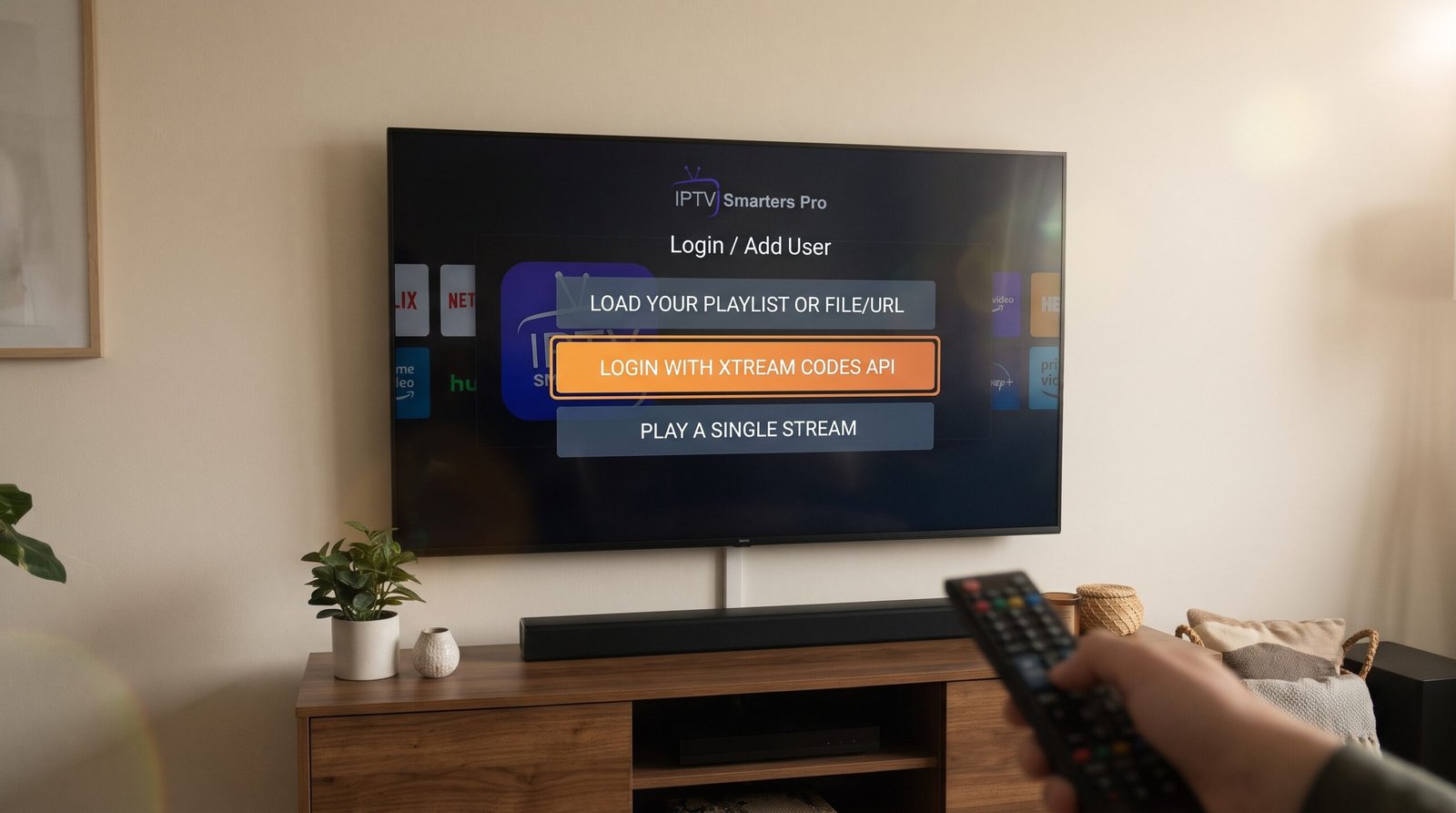
You will see multiple ways to log in. The fastest, most secure, and most stable method for premium iptv servers is the Xtream Codes method. Click on “Login with Xtream Codes API”.
Step 4: Enter Your Subscription Details
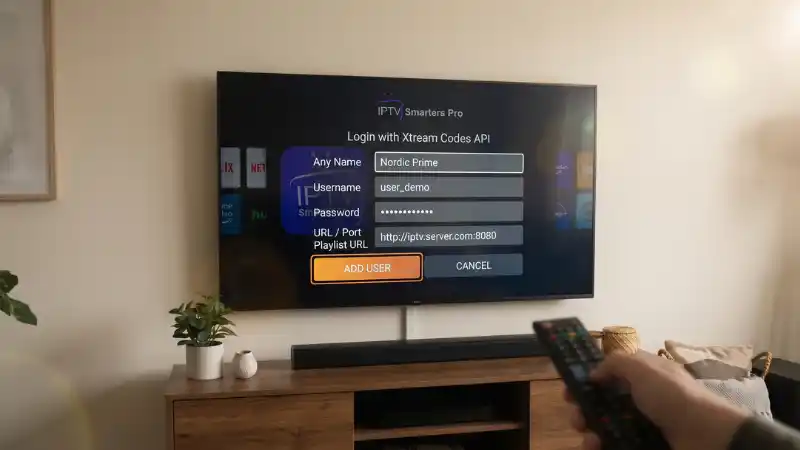
This is the most important step. You will now see four empty boxes. You need to enter the exact login details provided by your iptv nordic service provider. If you just purchased a subscription from us, check your email for these details:
- Any Name: You can type anything here (e.g., “Nordic Prime TV”).
- Username: Enter the unique username sent to you.
- Password: Enter your secure password.
- URL / Port: Enter the server URL link (Make sure to type it exactly as received, including “http://” or “https://”).
Step 5: Click “Add User” and Enjoy!
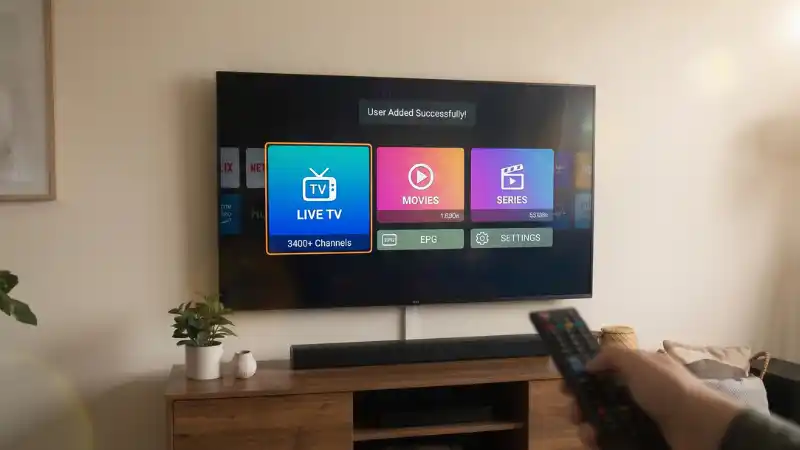
Once everything is typed in correctly, click the “Add User” button. The app will take a few moments to download the channels, EPG, and VOD library. Congratulations! You are now ready to enjoy the ultimate digital TV experience.
Don’t Have a Login Yet?
Get the most reliable iptv nordic server today. Access 40,000+ live channels and massive VODs with zero buffering.
 EXCLUSIVE OFFER: Get up to 50% OFF! Get Your Subscription Now ➔
4. Troubleshooting: How to Stop IP TV Buffering
If you have set everything up correctly but still experience occasional pauses, the issue is usually related to your home network. Try these quick fixes:
- Use an Ethernet (LAN) Cable: Wi-Fi connections fluctuate. Connecting your Smart TV directly to your internet router with a cable provides the stable speed needed for live streaming.
- Restart Your Router: Unplug your router for one minute, then plug it back in to clear the cache and refresh your connection.
- Clear App Cache: Go to your TV settings, find iptv smarters pro, and clear the cache to ensure the app runs smoothly.
Conclusion
Setting up your entertainment system doesn’t require a technician. With iptv smarters pro and a top-tier iptv server, you have total control over what you watch and when you watch it. Upgrade your living room today, follow these simple steps, and say goodbye to expensive cable forever!